
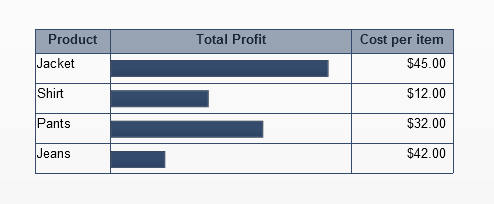
Embed horizontal bar charts in a spreadsheet table component
One of the important features that SAP BusinessObjects Dashboards lacks right now is to be able to embed charts in a table. This is a very powerful feature as we are able to present a lot of meaningful information with little real estate when embedding charts inside a table as shown below. In Xcelsius SP3, SAP took the first step in creating the scorecard component which allows embeddable trending...
February 5th, 2015 by David Lai
Xcelsius 2008 SP4 adds some very useful features!
I hope everyone has had the chance to experiment with the new features on Xcelsius 2008 SP4 as I am already using them for my current client projects. The following features were added Waterfall charts Combination charts can have alerts for multiple series Added alerts into the spreadsheet components The new waterfall chart component saves developers the hassle of emulating one using the stacked bar...
June 28th, 2011 by David Lai
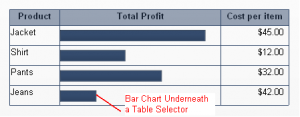
Embedded Charts inside an Xcelsius Spreadsheet Table
One of the important features that Xcelsius lacks right now is to be able to embed charts in a table. This is a very powerful feature as we are able to present a lot of meaningful information with little real estate when embedding charts inside a table as shown. Embedded Bar Chart in Table (more…)
February 8th, 2011 by David Lai
About David Lai

SAP BusinessObjects Dashboards 4 Cookbook


