

Data masking vs Business object security in SAP BusinessObjects
In the previous article, we talked about how to implement data masking using data security profiles at the universe level to prevent users from viewing sensitive data. Data Masking in SAP BusinessObjects However we can also use business security profiles to limit users from accessing certain objects. In this article, I’d like to present my thoughts on both methods. (more…)
February 23rd, 2019 by David Lai

Checklist of items to watch out for when applying an SAP BusinessObjects patch or service pack upgrade
Every time I apply a service pack upgrade or patch at a client site, I’m always excited about the features or fixes. However it is very annoying that any customizations get overwritten. This includes items such as: Branding, Single Sign-On, Modifications to the login page The following is a checklist of items that I backup beforehand when applying a service pack or patch upgrade (more…)
December 19th, 2018 by David Lai

Handling many-to-many joins using a bridge table (Part 1)
As a data warehouse architect, star schemas are great until we encounter the dreaded many-to-many fact to dimension scenario. For example, we have a Ticket Fact table and a Tag Dimension table. The cost metric is calculated at the ticket level, so tickets have the lowest granularity and hence the ticket fact table. However tickets can be tagged with multiple describers. A ticket can be interesting,...
August 3rd, 2017 by David Lai

Importance of Apply to Subobject in User Security
As a user security best practice in SAP BusinessObjects, it is best to start with no access and then slowly grant access to the groups whom require access. Otherwise we will end up having to explicitly remove access for every group that should not have access, which is really a pain in the ***. As you know when you add a new user, that user is added to the Everyone group by default. Before providing...
November 26th, 2014 by David Lai
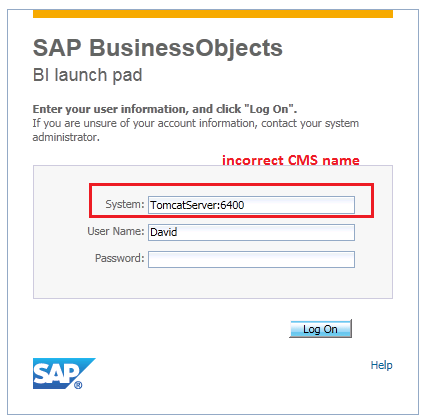
Setting the correct CMS name for BI Launchpad and CMC login page
In SAP Business Objects 4.0+, a properly distributed environment will have the Web application server and the Server Intelligence Agent (SIA) sitting in separate servers. By default, when you install the web application portion of SAP BusinessObjects Enterprise, it will set the default CMS machine with the same hostname that the web application has been installed. Unfortunately when a user opens...
November 20th, 2014 by David Lai
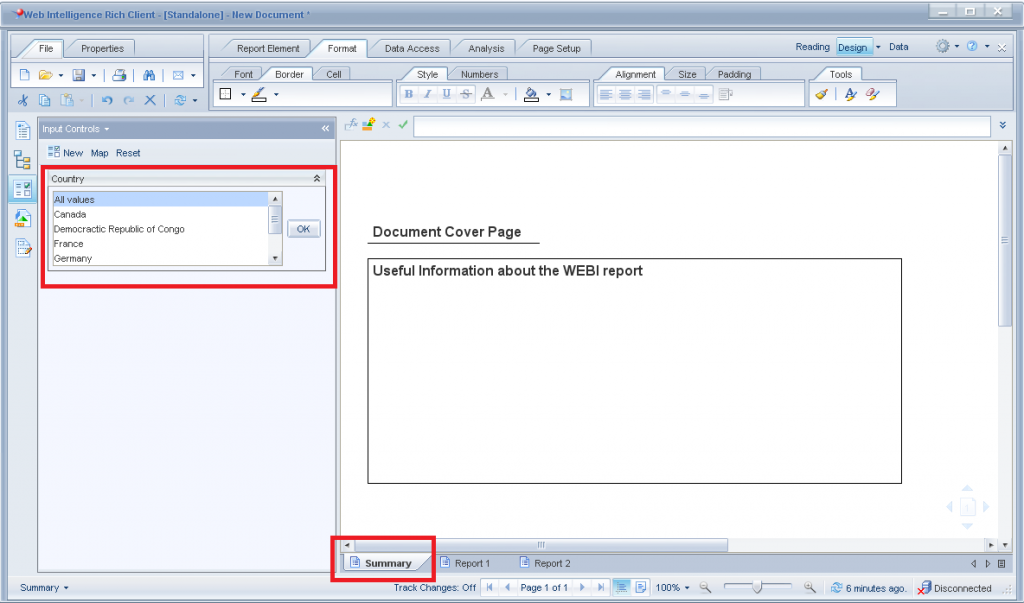
Web Intelligence – Input Control that affects all tabs
One of the major limitations in Web Intelligence is the ability to use 1 input control to control filter selection for “All” tabs. For example, if I had 5 tabs and wanted to have a country input control that is applied to all 5 tabs, I would need to create a separate input control for each tab. In addition, if users want to filter on a particular country during runtime, they must REMEMBER...
August 13th, 2013 by David Lai

Creating proper WEBI BEX hierarchy prompts
In this article I’d like to present how to properly create a hierarchical selection prompt in WEBI. The most natural way to create WEBI selection prompts is to create the selection prompt directly on WEBI. Unfortunately whoever designed the WEBI hierarchical selection prompt did not put proper thought into it. Let’s first go through the incorrect way of creating a WEBI hierarchy prompt and...
August 9th, 2013 by David Lai
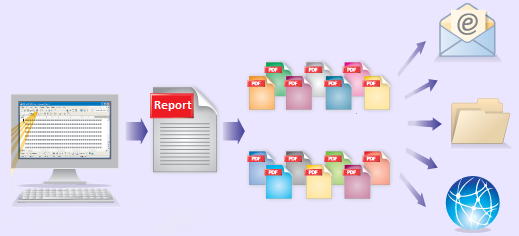
Bursting Reports in Business Objects to Dynamic Recipients
This post is a continuation of my previous post on Bursting Reports in Business Objects The difference here is that instead of distributing the reports to Business Objects users, we’ll be able to dynamically control our user list that we will distribute our reports to externally. Dynamic Recipients are often used with Crystal Reports that are not connected to a Universe and do not have BOBJ...
November 5th, 2011 by David Lai
Step by Step guide on bursting reports in Business Objects
The ability to publish and schedule reports according to one’s profile is an important feature that we have in Business Objects. For example, if I am a plant manager for a the West Region and want to receive a daily report on work quality, it would be very beneficial if I can receive a report in my inbox daily that only contains results for the West Region. This would save me the hassle...
October 27th, 2011 by David Lai
About David Lai

SAP BusinessObjects Dashboards 4 Cookbook


