
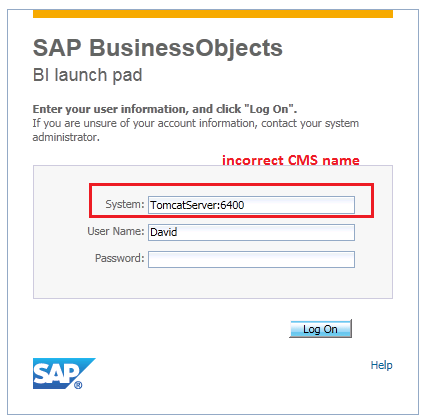
Setting the correct CMS name for BI Launchpad and CMC login page
In SAP Business Objects 4.0+, a properly distributed environment will have the Web application server and the Server Intelligence Agent (SIA) sitting in separate servers. By default, when you install the web application portion of SAP BusinessObjects Enterprise, it will set the default CMS machine with the same hostname that the web application has been installed. Unfortunately when a user opens...
November 20th, 2014 by David Lai
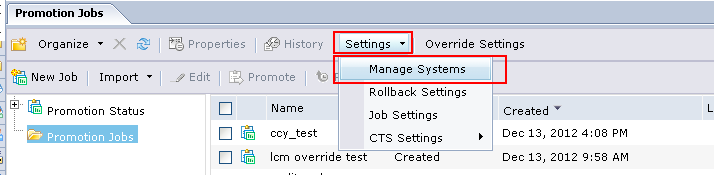
Demystifying LCM Overrides
The LCM Overrides tool is very powerful as it allows administrators to manage the migration of server host settings from environment to environment very easily. For example if Dev used a different database vs QA, it would be a hassle to manually change the connection setting every time a universe was migrated. Well with LCM Overrides, we can automatically have QA attach to different database settings...
December 25th, 2012 by David Lai

How to bypass the BI Launchpad logon screen
For those of you who need a quick reference on how to bypass the BI Launchpad logon screen, here it is. There are many reasons why you may want to bypass the BI Launchpad logon screen. For example, you may want to use trusted authentication, single sign on, or have users go through a special system account. In this article we will go through a step by step on how to bypass the BI Launchpad logon screen...
November 9th, 2012 by David Lai

How to bypass the Central Management Console (CMC) logon screen
I’ve seen many posts in forums asking how to bypass the CMC (Central Management Console) logon screen ie: (how to logon infoview bypass the logon screen) , and unfortunately there has not been one solution posted. Recently with the help of Jeremy Ma from SAP Support, I’ve discovered the solution for BI4 that I would like to share. There are several situations on when you may want to...
November 4th, 2012 by David Lai

Hidden feature WSDL Generator
Recently with one of my client BI4 implementations I’ve been doing a lot of patch upgrades and external application installations (ie: explorer). Apparently it seems whenever some sort of upgrade is done on the server, some of the existing BI Web Services stop working. For example the definition from the BI service gives the following error when I open it up in Internet Explorer WSDLException:...
May 30th, 2012 by David Lai
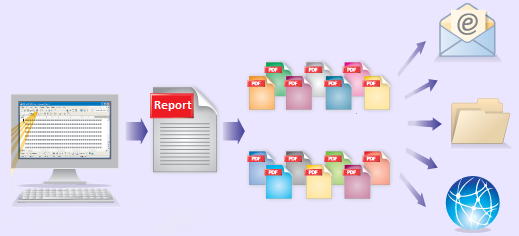
Bursting Reports in Business Objects to Dynamic Recipients
This post is a continuation of my previous post on Bursting Reports in Business Objects The difference here is that instead of distributing the reports to Business Objects users, we’ll be able to dynamically control our user list that we will distribute our reports to externally. Dynamic Recipients are often used with Crystal Reports that are not connected to a Universe and do not have BOBJ...
November 5th, 2011 by David Lai
Step by Step guide on bursting reports in Business Objects
The ability to publish and schedule reports according to one’s profile is an important feature that we have in Business Objects. For example, if I am a plant manager for a the West Region and want to receive a daily report on work quality, it would be very beneficial if I can receive a report in my inbox daily that only contains results for the West Region. This would save me the hassle...
October 27th, 2011 by David Lai

BI Web Services presentation from SAP Inside Track 2011 now available for download!
Thanks to everyone who attended my presentation on BI Web Services at SAP Inside Track Vancouver 2011! A replay of the presentation can be found at the following link => http://bit.ly/rkBU1p I’ve also attached the powerpoint presentation that you can download here
October 3rd, 2011 by David Lai
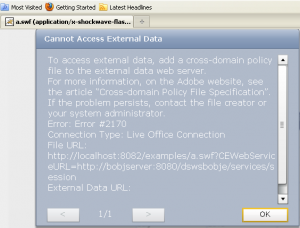
Using Charles to help you debug!
In this article I would like to state the importance of how useful it is to use a traffic monitoring tool such as Charles or Fiddler when debugging connection type errors. In this example, we’ll go through a quick scenario on solving a crossdomain.xml related issue. You will need to Install Charles on your machine and install the Charles addon for Firefox. (more…)
March 18th, 2011 by David Lai
About David Lai

SAP BusinessObjects Dashboards 4 Cookbook


