
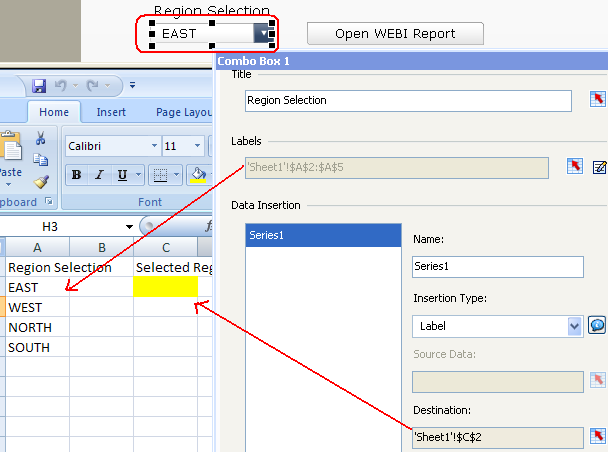
All you need to know about Open Document (opendoc) Part 2
I’ve been getting a lot of emails lately on how to setup opendocument (opendoc), so I’d like to post this tutorial on how to do so which works for Business Objects XI 3.1. Unfortunately my previous tutorial at http://davidlai101.com/blog/2008/11/04/all-you-need-to-know-about-opendoc/ only works with Business Objects XI R2 Please note that the tutorial was taken from SAP BusinessObjects...
September 29th, 2011 by David Lai

SAP Crystal Dashboard and Presentation Design (Xcelsius) Cookbook Coming Soon!
I hope that everyone has had a great start to 2011! 2010 was a huge year but 2011 looks to be even bigger! I’m very pleased to announce that the Xcelsius Cookbook, which Xavier Hacking and I have been working very hard on, is scheduled to be released in it’s final format on May 2011. The book will be structured like a cookbook where we will go through step by step on accomplishing different...
February 7th, 2011 by David Lai
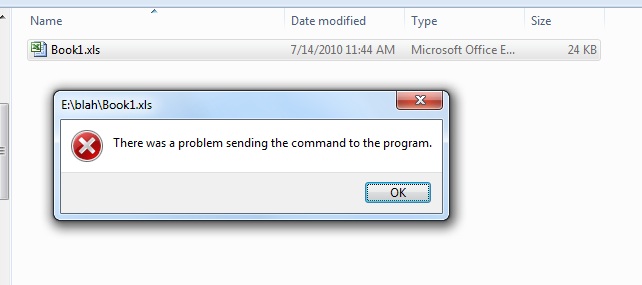
Error opening Excel files after installing Live Office
I’ve had this error pop up while trying to open Excel files (Excel 2007) after installing Live Office on several machines where it says “There was a problem sending the command to the program“. A couple other people ran into the same issue, so I’d like to post a quick solution. 1. Open the Excel program 2. Go to Excel Options 3. Go to Advanced 4. Go to General 5. Make sure...
July 23rd, 2010 by David Lai

Alpha Numeric Sorter
Here is an Xcelsius Example that ranks your table based on whether you want to rank it numerically or alphabetically. [kml_flashembed publishmethod=”static” fversion=”8.0.0″ movie=”http://www.davidlai101.com/blog/media/blogs/bobj/Excel%20Ranker/Alphanumeric%20Sorter.swf” width=”500″ height=”200″ targetclass=”flashmovie”] [/kml_flashembed] Many...
October 8th, 2008 by David Lai
About David Lai

SAP BusinessObjects Dashboards 4 Cookbook


